Reply to every new lead within a minute
The moment a lead lands, send a personal-sounding reply, log them in a sheet, and schedule a nudge two days later if they go quiet.
What this looks like
One step on screen at a time. Read it, do it, tap Next.
Reply to every new lead within a minute
Step 1 of 12
Create the workflow and capture the lead
Create a new workflow and add a Webhook node set to POST. Copy the test URL into your form tool and submit one dummy lead so n8n can see the real shape of the data.
Checkpoint
The webhook output shows your dummy name, email and message.
Before you begin
Tick these off as you sort them. Stopping halfway to create an account is how a fifteen-minute build becomes an hour.
0 of 8 ready
Ticks are saved on this device, so you can come back to them.
- Have ready
A website form, a landing page tool, or an ad lead form — anything that can POST to a webhook URL. n8n's built-in Form Trigger works too if you have none.
- Account
One OAuth sign-in covers both the Gmail reply and the Google Sheets log.
- Have ready
Create it before you start. Status is what stops you nudging someone who already replied.
- Have ready
Write it as a human would, in your own voice. Two or three sentences and one clear next step beats a long template.
- Time
Most of it is writing the two emails. The wiring is six nodes.
The basics — ticked once, remembered everywhere
- Account
Either the hosted version or a self-hosted install. Everything here works the same on both — the only visible difference is the shape of your webhook URLs.
Create a workspace - Know-how
Adding a node, connecting two of them, and pressing Execute. If any of that is new, the free primer covers it in about ten minutes.
- Credential
You will paste at least one secret during setup. A password manager beats a notes app, and it stops you pasting a live key into a chat window by accident.
The shape of the workflow
The nodes you will end up with, left to right, in the order you add them.
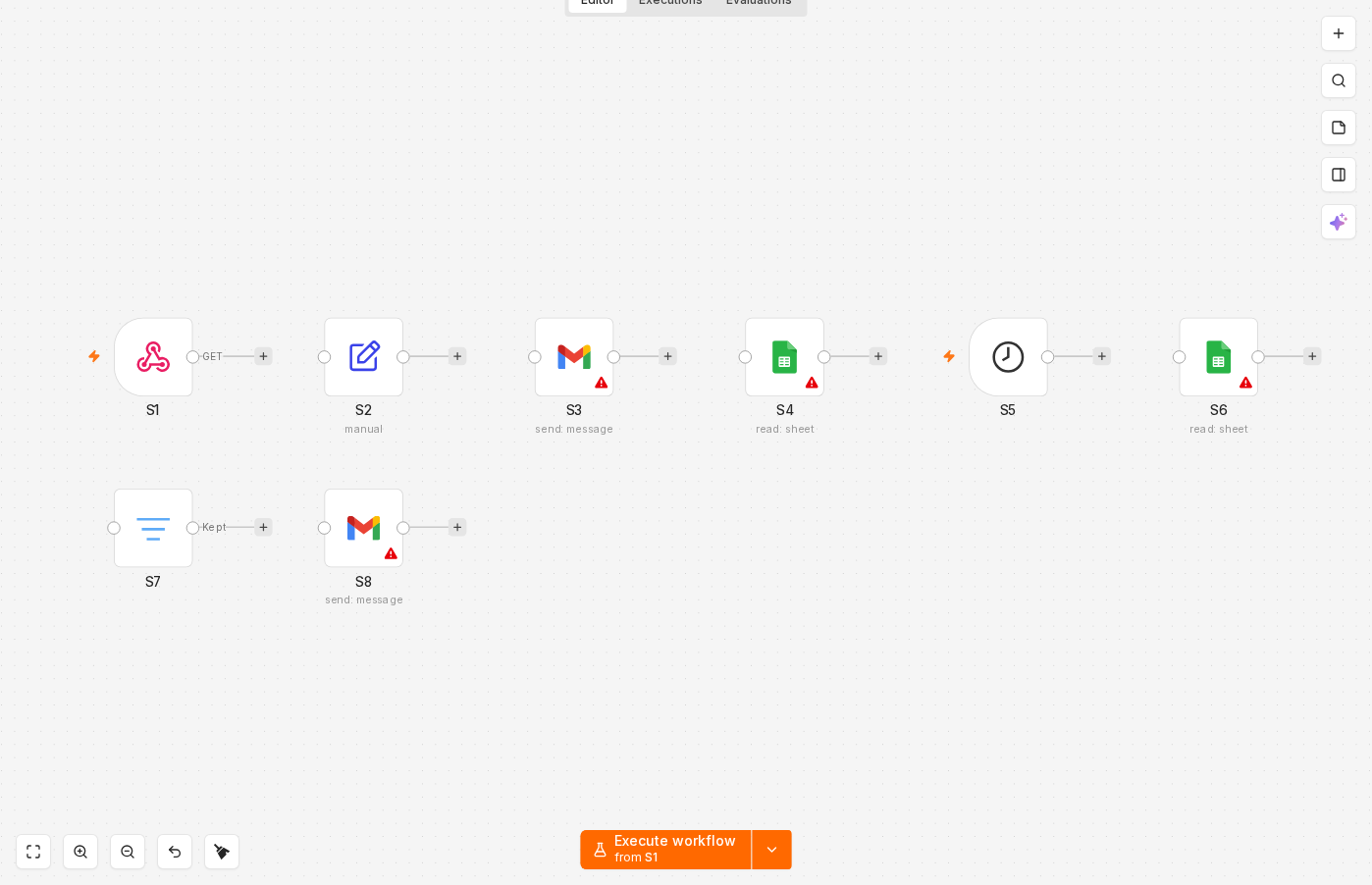 4 things to set here
- 1Webhook — the trigger — everything starts here
- 2Edit Fields (Set) — Tidy the fields
- 3Gmail — Send the instant reply
- 4Google Sheets — Log the lead to your sheet
Skip the node hunting
Import a starter file with every node for this build already on the canvas, named after its step and wired in order, each one carrying a sticky note with the values to enter. You still connect your own accounts and fill the fields — that is what the walkthrough takes you through — but you never start at a blank canvas.
In n8n: Workflows → Import from file.
What you will build
Jump straight to any step, or print the list and tick it off beside your n8n tab.
- 1Create the workflow and capture the lead
- 2Tidy the fields
- 3Send the instant reply
- 4Log the lead to your sheet
- 5Start the nudge workflow
- 6Read the leads back
- 7Keep only the ones due a nudge
- 8Send the nudge and mark it sent
- 9Go live on both workflows
- 10Submit a real lead
- 11Force the nudge
- 12Confirm nobody gets chased twice
If something goes wrong
Everything ready?
Start walkthrough