08 / 12Gmail
Send the nudge and mark it sent
Add a Gmail node for the follow-up email, then a Google Sheets node with Update Row to set Status to so nobody gets chased twice.
Keep the nudge shorter than the first email and make replying trivially easy.
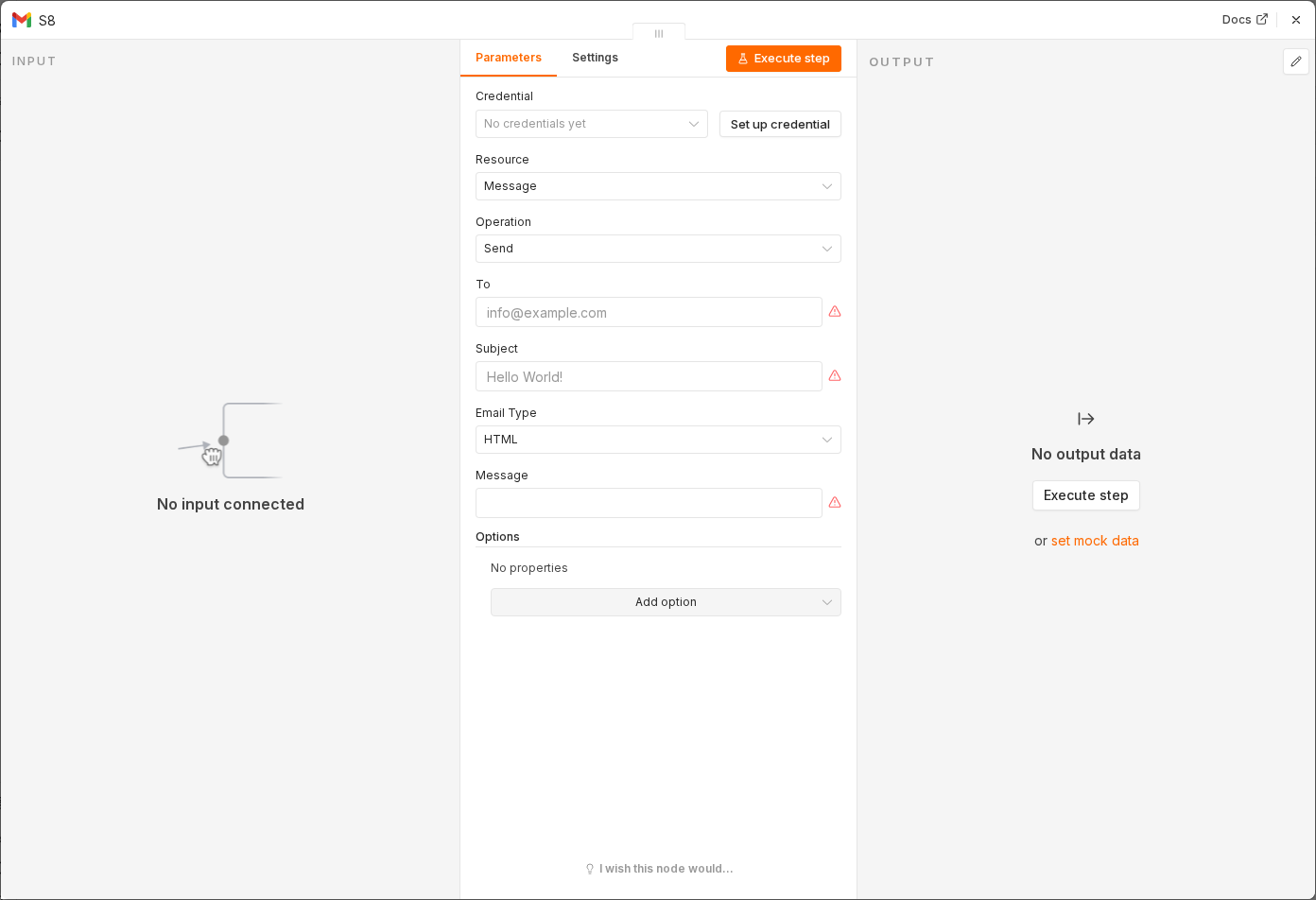 6 things to set here
- 1Open the Gmail node — double-click it on the canvas
- 2To — paste as an expression
- 3Subject — paste as an expression
- 4Message — paste as an expression
- 5Then: Sheets → Update Row → Status — copy the value below
- 6Check before moving on — A test lead receives the nudge and its row flips to nudged.
Toexpression
{{ $json.Email }}Subjectexpression
Following up, {{ $json.Name }}Messageexpression
Hi {{ $json.Name }},

Just checking this didn't get buried. Still happy to help with what you wrote in.

A one-line reply is plenty.

Your name
Then: Sheets → Update Row → Status
nudged
Checkpoint
A test lead receives the nudge and its row flips to nudged.