Stop duplicate leads clogging your CRM
Catch new leads from a Google Form, enrich them with extra company data, check them against what's already in your CRM, and only push through the ones that are genuinely new.
What this looks like
One step on screen at a time. Read it, do it, tap Next.
Stop duplicate leads clogging your CRM
Step 1 of 13
Trigger on new form responses
Create a workflow and add a Google Forms Trigger. Point it at your lead form and run a real test submission so you can see the actual field names n8n returns.
Checkpoint
Submitting the form produces one item with your test answers.
Before you begin
Tick these off as you sort them. Stopping halfway to create an account is how a fifteen-minute build becomes an hour.
0 of 10 ready
Ticks are saved on this device, so you can come back to them.
- Have ready
At minimum you need name, email and company. Run a test submission before you start so you have a real response to build against.
- Have ready
This is where every incoming lead gets recorded, whether it turns out to be new or a duplicate. Columns: Name, Email, Company, Domain, Status, CreatedAt.
- Account
This is where clean, deduplicated leads land as contacts.
- API key
Generate this from your sub-account settings and keep it somewhere safe until you paste it into n8n.
GoHighLevel API settings - Account
n8n needs read access to form responses and read/write access to the sheet.
- Know-how
This walkthrough matches on email address and company domain. Decide up front whether that is strict enough for how your team works.
- Time
The enrichment and matching logic take a little care; the rest is straightforward node wiring.
The basics — ticked once, remembered everywhere
- Account
Either the hosted version or a self-hosted install. Everything here works the same on both — the only visible difference is the shape of your webhook URLs.
Create a workspace - Know-how
Adding a node, connecting two of them, and pressing Execute. If any of that is new, the free primer covers it in about ten minutes.
- Credential
You will paste at least one secret during setup. A password manager beats a notes app, and it stops you pasting a live key into a chat window by accident.
The shape of the workflow
The nodes you will end up with, left to right, in the order you add them.
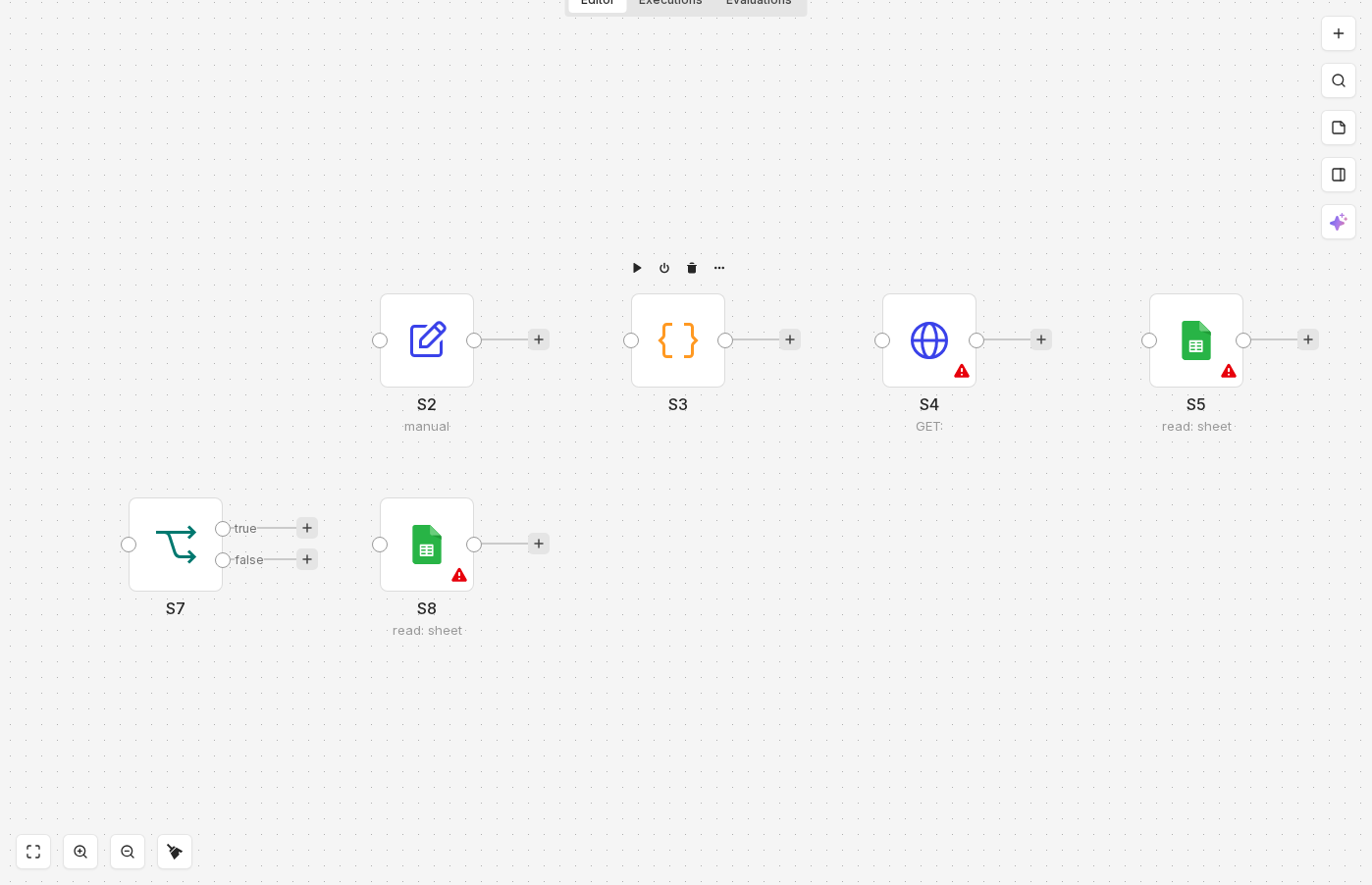 4 things to set here
- 1Google Forms Trigger — the trigger — everything starts here
- 2Set — Normalise the incoming fields
- 3Code — Derive the company domain for matching
- 4HTTP Request — Enrich the lead with extra company data
Skip the node hunting
Import a starter file with every node for this build already on the canvas, named after its step and wired in order, each one carrying a sticky note with the values to enter. You still connect your own accounts and fill the fields — that is what the walkthrough takes you through — but you never start at a blank canvas.
In n8n: Workflows → Import from file.
What you will build
Jump straight to any step, or print the list and tick it off beside your n8n tab.
- 1Trigger on new form responses
- 2Normalise the incoming fields
- 3Derive the company domain for matching
- 4Enrich the lead with extra company data
- 5Log the lead in the sheet before checking for duplicates
- 6Look up existing contacts in GoHighLevel
- 7Branch on whether a match was found
- 8Update the sheet status for duplicates
- 9Create the new contact in GoHighLevel
- 10Test end to end, then activate
- 11Submit a brand-new lead
- 12Resubmit the same lead
- 13Submit a lead with a shared domain but different email
If something goes wrong
Everything ready?
Start walkthrough