Draft, send and track contracts automatically
Fill in a short form, let AI draft the contract from your template, email it out for signature, and log every stage in a sheet so nothing gets forgotten.
What this looks like
One step on screen at a time. Read it, do it, tap Next.
Draft, send and track contracts automatically
Step 1 of 12
Start with a form for contract requests
Create a workflow and add an n8n Form Trigger so anyone on your team can request a contract without touching n8n directly.
Checkpoint
Submitting the form produces an item with all four fields.
Before you begin
Tick these off as you sort them. Stopping halfway to create an account is how a fifteen-minute build becomes an hour.
0 of 9 ready
Ticks are saved on this device, so you can come back to them.
- API key
Drafting a contract from a prompt uses a fair number of tokens, so check your usage limits before relying on this daily.
OpenAI API keys - Have ready
The clauses your business always needs — payment terms, scope, cancellation. AI fills in the specifics; it shouldn't be inventing your legal position from scratch.
- Know-how
This workflow automates the paperwork, not the legal judgement. Have a solicitor sign off the base template before you automate around it.
- Have ready
Columns for Client, Email, ContractID, Status, DateSent, DateSigned. This is your single source of truth for what's outstanding.
- Account
Contracts should come from an address your clients recognise and can reply to.
- Know-how
This build emails a PDF for signature and logs replies manually confirmed as signed; it does not integrate a dedicated e-signature platform.
The basics — ticked once, remembered everywhere
- Account
Either the hosted version or a self-hosted install. Everything here works the same on both — the only visible difference is the shape of your webhook URLs.
Create a workspace - Know-how
Adding a node, connecting two of them, and pressing Execute. If any of that is new, the free primer covers it in about ten minutes.
- Credential
You will paste at least one secret during setup. A password manager beats a notes app, and it stops you pasting a live key into a chat window by accident.
The shape of the workflow
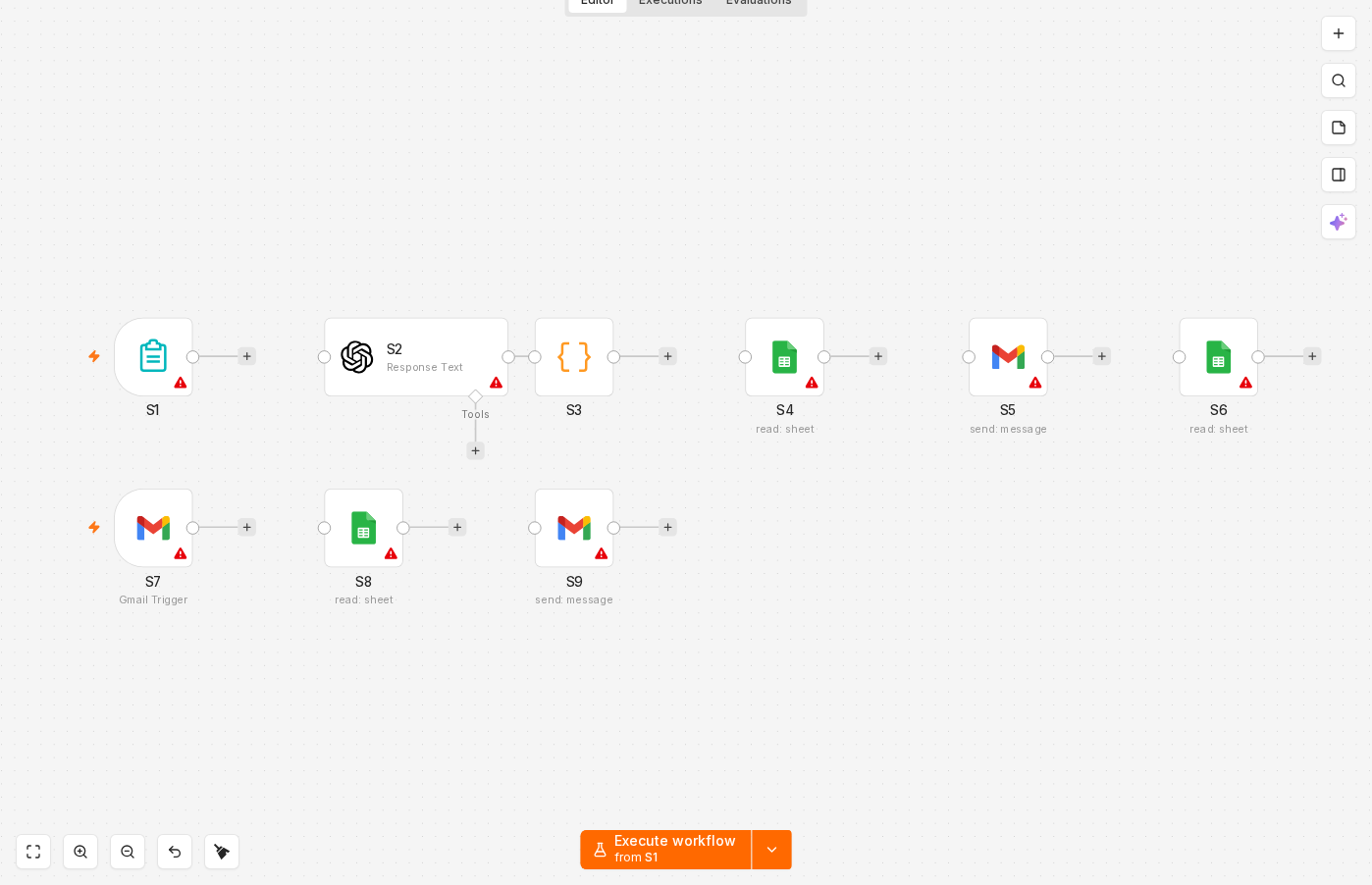
The nodes you will end up with, left to right, in the order you add them.
 4 things to set here
- 1Form Trigger — the trigger — everything starts here
- 2OpenAI — Draft the contract with OpenAI
- 3Code — Give the contract a unique ID
- 4Google Sheets — Log the contract as drafted
Skip the node hunting
Import a starter file with every node for this build already on the canvas, named after its step and wired in order, each one carrying a sticky note with the values to enter. You still connect your own accounts and fill the fields — that is what the walkthrough takes you through — but you never start at a blank canvas.
In n8n: Workflows → Import from file.
What you will build
Jump straight to any step, or print the list and tick it off beside your n8n tab.
- 1Start with a form for contract requests
- 2Draft the contract with OpenAI
- 3Give the contract a unique ID
- 4Log the contract as drafted
- 5Email the contract for signature
- 6Update the sheet to 'sent'
- 7Watch for the signed reply
- 8Mark the contract as signed
- 9Notify the team a contract closed
- 10Submit a form request with fake details
- 11Check the drafted contract for accuracy
- 12Reply to yourself with the confirmation phrase
If something goes wrong
Everything ready?
Start walkthrough