01 / 12Gmail Trigger
Trigger on incoming transcript emails
Create a workflow and add a Gmail Trigger that watches for new email matching a subject or label you use for meeting transcripts. Only transcripts should reach this workflow — a noisy inbox will produce noisy status reports.
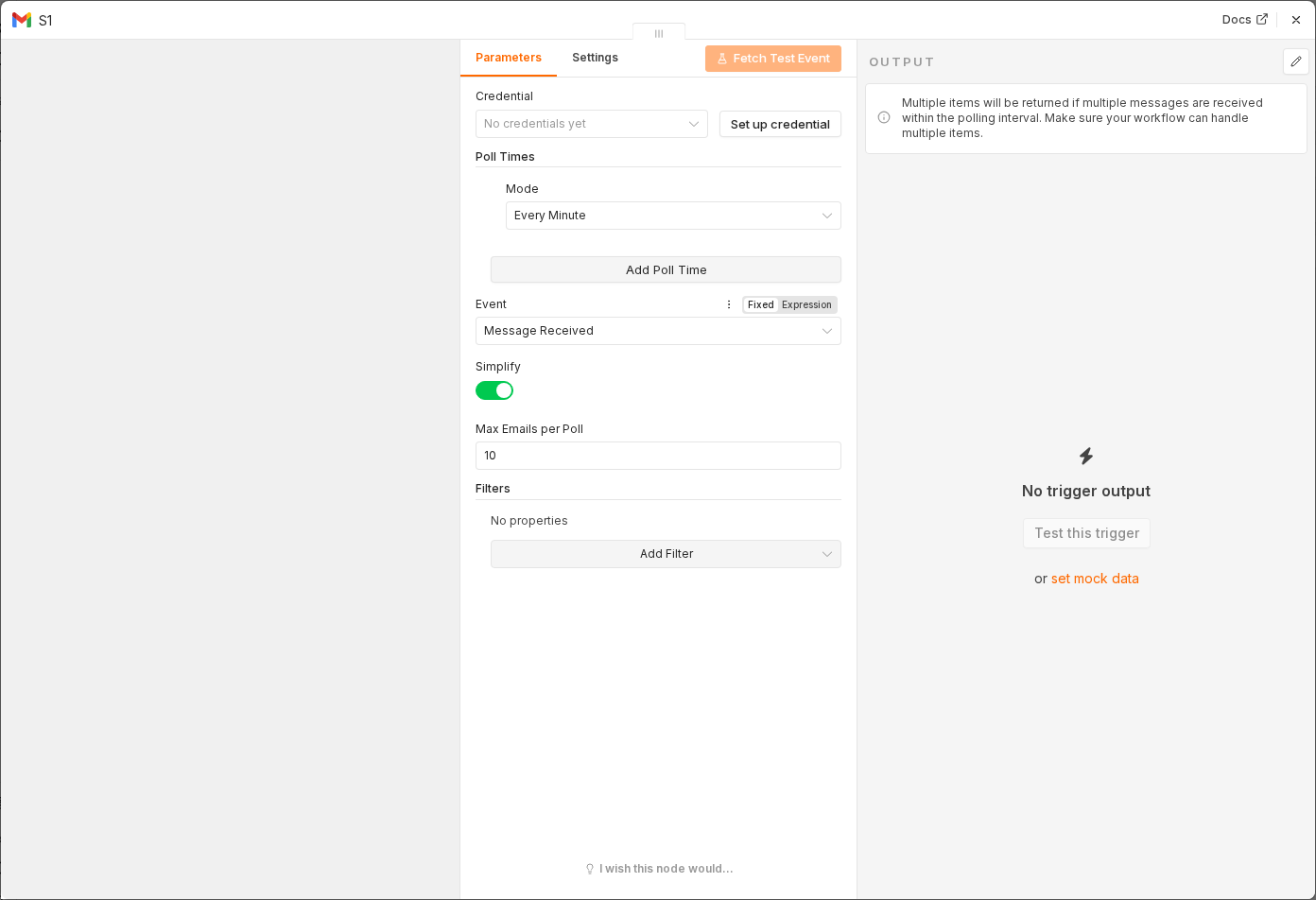 5 things to set here
- 1Open the Gmail Trigger node — double-click it on the canvas
- 2Workflow name — copy the value below
- 3Event — copy the value below
- 4Filter — Label — copy the value below
- 5Check before moving on — A Gmail Trigger node sits on the canvas, scoped to a specific label.
Workflow name
Meeting status roll-up
Event
Message Received
Filter — Label
Meeting Transcripts
Tip
While building, disable the trigger and use Test workflow with a fixed sample email instead, so you're not waiting on real meetings to finish.
Checkpoint
A Gmail Trigger node sits on the canvas, scoped to a specific label.