01 / 13Schedule Trigger
Create the workflow with a daily trigger
Create a workflow and add a Schedule Trigger running once a day, mid-morning. Reminders sent at 3am look automated; ones sent at 10am look like you.
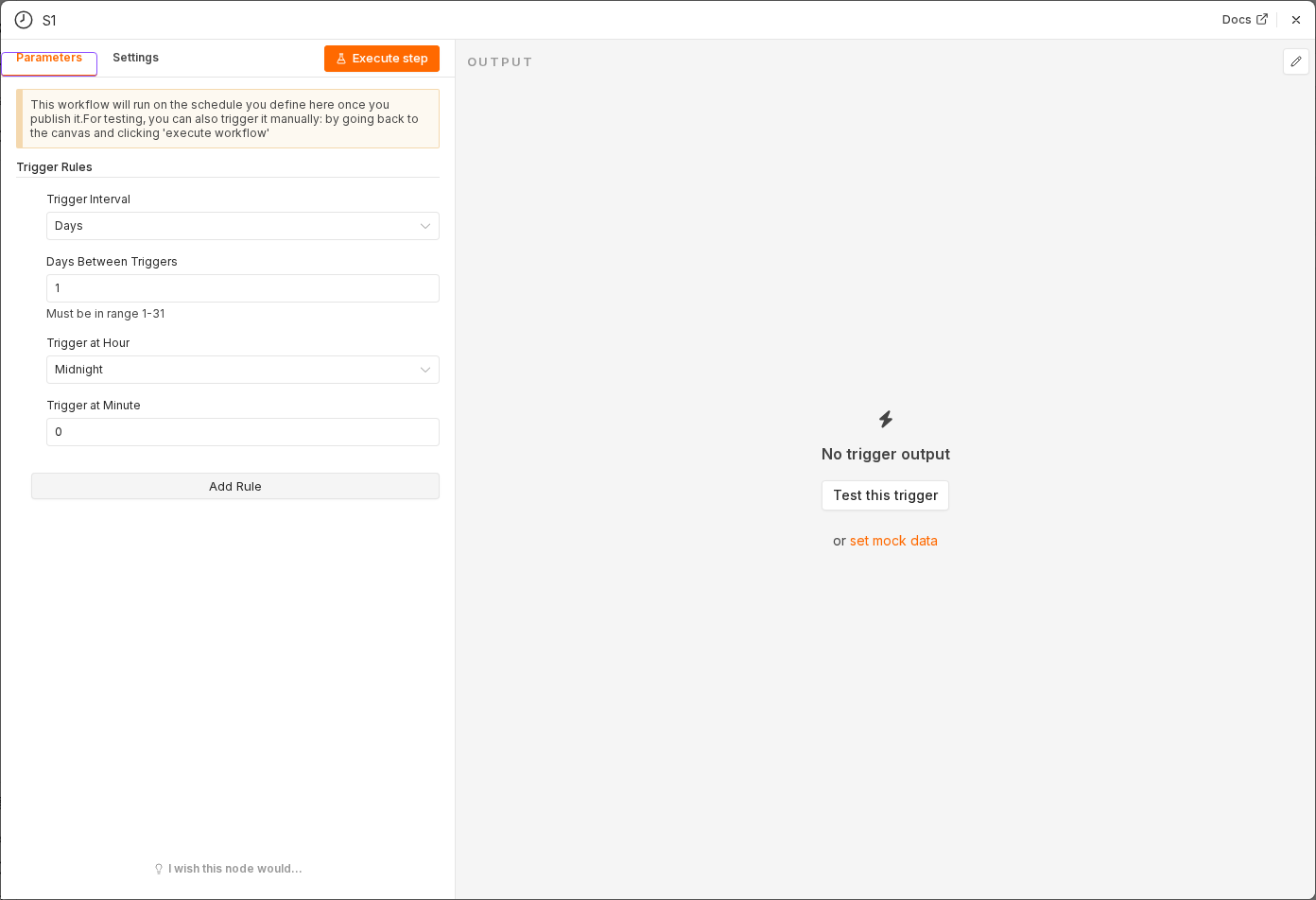 5 things to set here
- 1Open the Schedule Trigger node — double-click it on the canvas
- 2Workflow name — copy the value below
- 3Trigger Interval — copy the value below
- 4Trigger Hour — copy the value below
- 5Check before moving on — A daily Schedule Trigger sits on the canvas.
Workflow name
Invoice reminders
Trigger Interval
Days
Trigger Hour
10am
Tip
While building, switch it to manual runs only and use Test workflow. Put the schedule back before activating.
Checkpoint
A daily Schedule Trigger sits on the canvas.