01 / 12Webhook
Get incoming comments into the workflow
Create a workflow and add a Webhook node as the entry point for incoming comments or messages, or a Schedule Trigger paired with a HTTP Request node if you're polling an export instead.
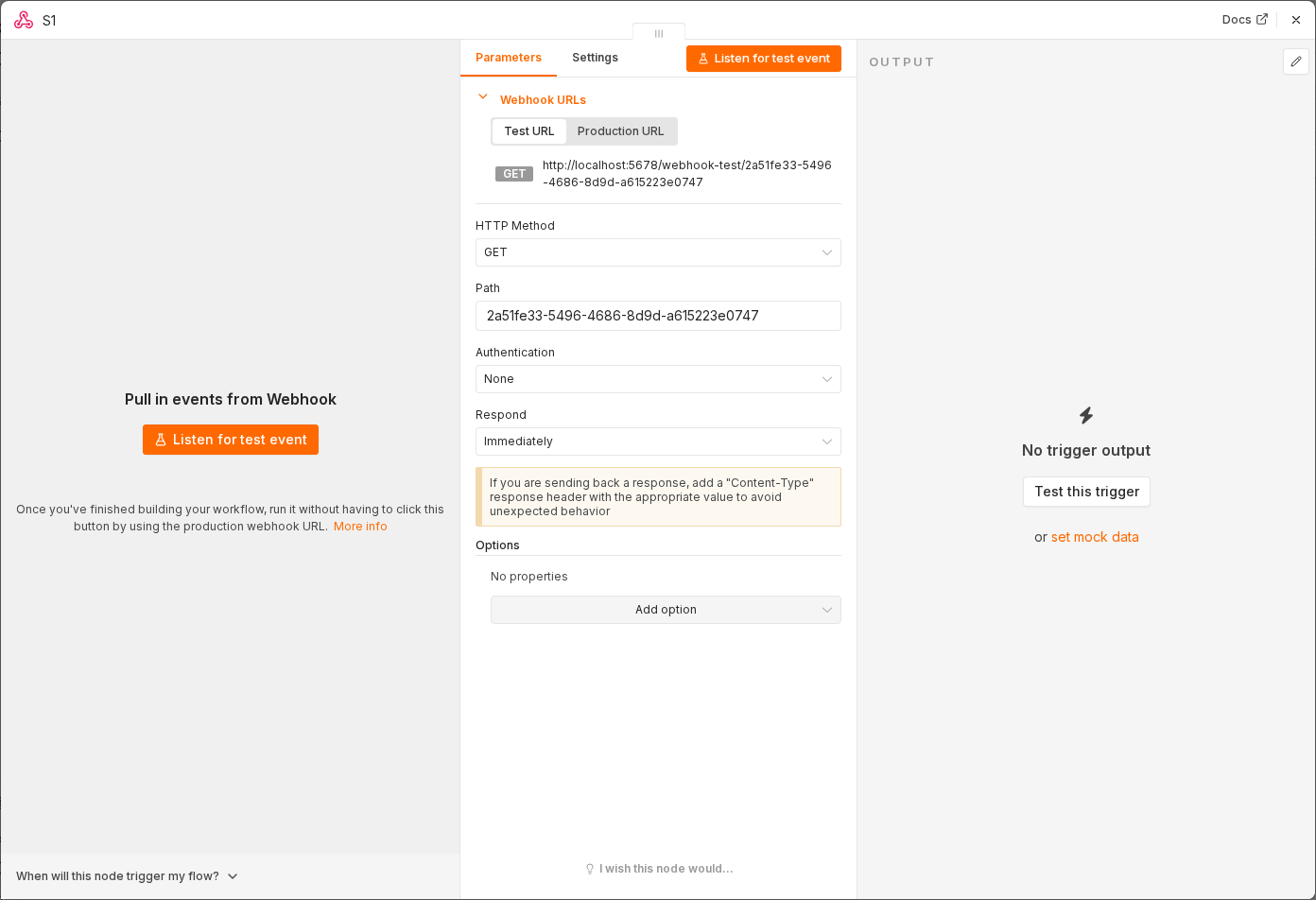 5 things to set here
- 1Open the Webhook node — double-click it on the canvas
- 2Workflow name — copy the value below
- 3HTTP Method — copy the value below
- 4Path — copy the value below
- 5Check before moving on — A test POST to the webhook URL produces an item in the workflow.
Workflow name
Social comment triage
HTTP Method
POST
Path
social-comment
Tip
If your platform doesn't support webhooks directly, a Zapier-style forwarding tool or a simple form for your team to paste messages into is a reasonable stopgap.
Checkpoint
A test POST to the webhook URL produces an item in the workflow.