01 / 07Form Trigger
Add the Form Invoice trigger
Create a workflow and add a Form Trigger node named Form Invoice. This is what a customer or staff member fills in to request an invoice — you can swap it for a webhook from another system later without touching the rest of the workflow.
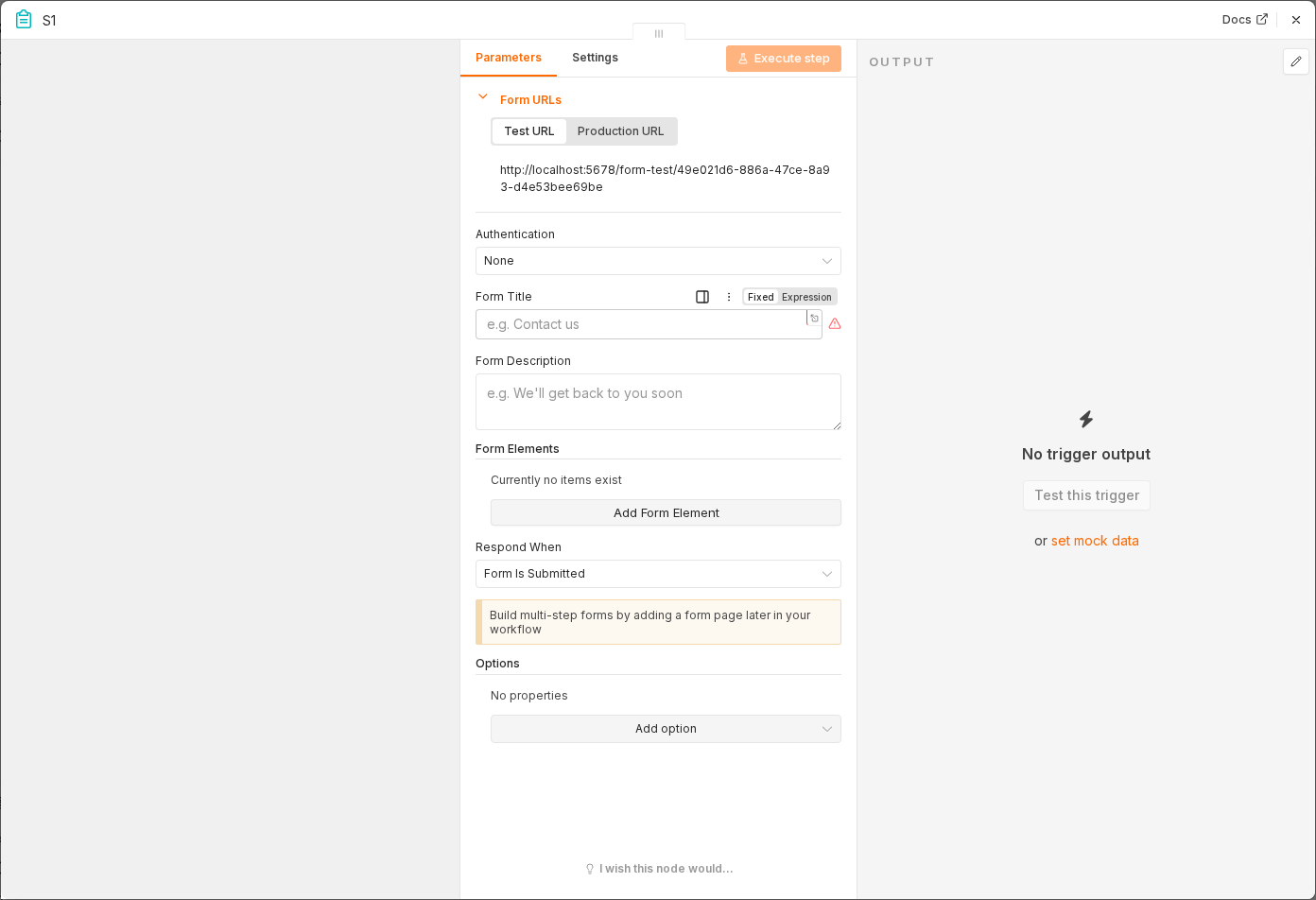 6 things to set here
- 1Open the Form Trigger node — double-click it on the canvas
- 2Form Title — copy the value below
- 3Form Description — copy the value below
- 4Field: buyer name — copy the value below
- 5Field: buyer road — copy the value below
- 6Check before moving on — Submitting the form produces an item with buyer details and up to two line items.
Form Title
Create Facture
Form Description
Create a PDF invoice from an n8n and JSReport form
Field: buyer name
Text, required
Field: buyer road
Text, required
Field: buyer country
Text, required
Field: Item 1 Name
Text
Field: Item 1 Price
Number
Field: Item 2 Name
Text
Field: Item 2 Price
Text
Tip
Field labels matter here — the next node reads them back by their exact label, including the lowercase 'buyer name' and 'buyer road' spelling used in this template.
Checkpoint
Submitting the form produces an item with buyer details and up to two line items.